
App Store Screenshot Sizes 2026: Complete Guide for Every iPhone, iPad & Device
Updated July 2026. Verified against Apple's App Store Connect specification.
Getting your app store screenshot sizes wrong means rejection from App Store Connect or blurry, cropped images on Google Play. Both platforms have strict dimension requirements that shift as new devices launch, and 2026 brought real changes: the canonical iPhone size moved from 1290×2796 to 1320×2868, Apple added a new iPhone 6.3" class, the iPad Pro M5 joined the existing 13" bucket, and Apple Watch Ultra 3 introduced a brand-new size. This is the single, current reference for every dimension, every device, and every submission rule you need in 2026, with no guessing and no outdated specs.
TL;DR: The 2026 App Store Screenshot Reality
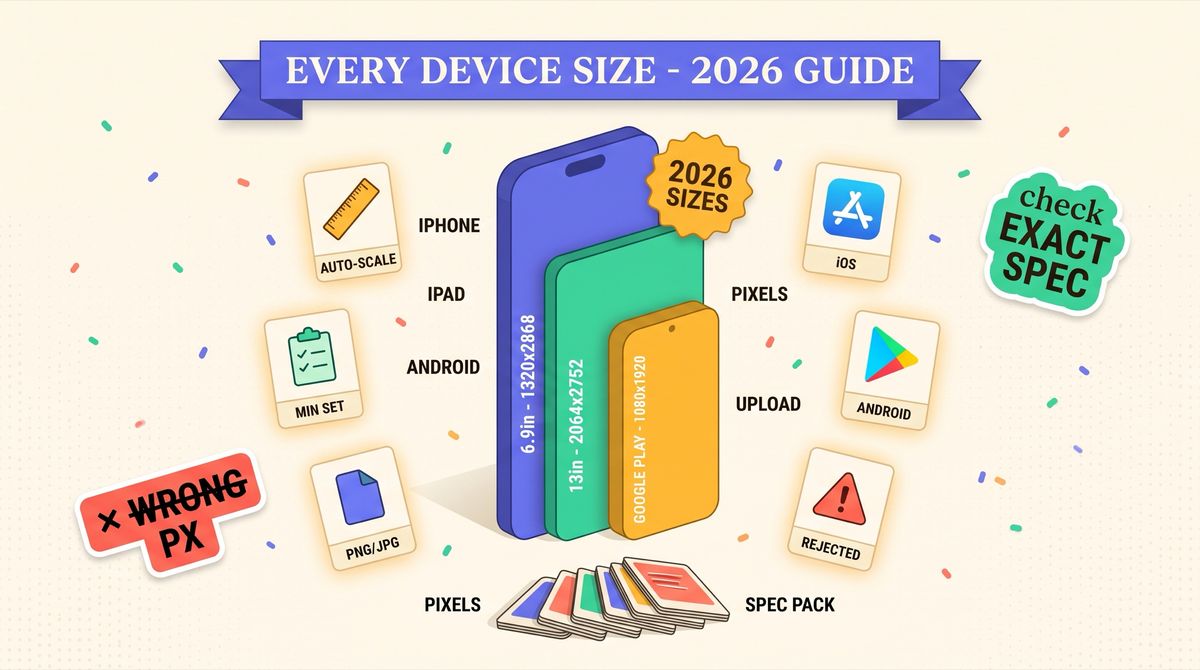
- The required iPhone base is now 1320×2868 (6.9" class: iPhone Air / 17 Pro Max / 16 Pro Max / 16 Plus / 15 Pro Max). The older 1290×2796 is still accepted but maps to the legacy 6.7" class.
- A new iPhone 6.3" class exists for iPhone 17 Pro / 17 / 16 Pro at 1206×2622. It is optional, since Apple scales the 6.9" set down to fit.
- The iPad base remains 2064×2752 (13" class, now covering iPad Pro M5 / M4).
- Apple Watch Ultra 3 added a new size: 422×514. Series 11 / 10 share 416×496.
- You only have to upload one iPhone set (and one iPad set if you ship iPad). Apple auto-scales the rest. That is two screenshot sets total for the entire iPhone + iPad fleet.
Apple App Store Screenshot Sizes (2026)
Apple requires screenshots for each device size your app supports. You must provide at least one set per platform, but uploading the largest size in each family lets Apple scale it down to every smaller class automatically.
iPhone Screenshots (Required)
| Display Size | Device Examples | Portrait (px) | Landscape (px) |
|---|---|---|---|
| 6.9" | iPhone Air, 17 Pro Max, 16 Pro Max, 16 Plus, 15 Pro Max | 1320 × 2868 | 2868 × 1320 |
| 6.7" | iPhone 15 Plus, 14 Pro Max, 13 Pro Max, 12 Pro Max | 1290 × 2796 | 2796 × 1290 |
| 6.5" | iPhone 14 Plus, 11 Pro Max, XS Max | 1284 × 2778 | 2778 × 1284 |
| 6.3" (new) | iPhone 17 Pro, 17, 16 Pro | 1206 × 2622 | 2622 × 1206 |
| 6.1" | iPhone 16, 15, 14, 13, 12 | 1170 × 2532 | 2532 × 1170 |
| 5.5" | iPhone 8 Plus, 7 Plus, 6s Plus | 1242 × 2208 | 2208 × 1242 |
Minimum required: upload the 6.9" set (1320×2868) and Apple scales it down for every smaller iPhone. Maximum: 10 screenshots per localization per device size.
The Headline Change: 1290×2796 Is Out, 1320×2868 Is In
From iOS launch through the iPhone 16 generation, the canonical iPhone screenshot was 1290×2796 px. Every screenshot tool, every Fastlane Snapfile, every ASO post defaulted to it. With the iPhone 17 generation Apple shipped a slightly wider Pro Max panel, and the new canonical iPhone size is 1320×2868 px portrait. What that means in practice:
- Apple still accepts 1290×2796. It is mapped to the legacy 6.7" class.
- If you only upload 1290×2796, App Store Connect will not reject you, but the image is auto-scaled (slight blur) on iPhone 17 Pro Max / iPhone Air.
- If you only upload 1320×2868, Apple scales it down to fit every smaller iPhone class. This is the recommended single-upload strategy.
- If you upload both, each renders at native resolution, pixel-perfect everywhere. Optional but ideal.
The New iPhone 6.3" Class
Apple split the standard iPhone Pro display into its own class: 1206×2622 px portrait, covering iPhone 17 Pro, iPhone 17, and iPhone 16 Pro. It is not required on submission, since Apple scales the 6.9" base down to fit, but it is the first time Apple has formally separated the standard Pro from the Pro Max in screenshot dimensions. Upload a 6.3" set manually only if you have caption text below 16pt that would lose legibility under scaling, or you are A/B testing per device class. For most apps the 6.3" slot stays empty and the default is fine.
iPad Screenshots (Required if your app runs on iPad)
| Display Size | Device Examples | Portrait (px) | Landscape (px) |
|---|---|---|---|
| 13" | iPad Pro 13" (M5, M4) | 2064 × 2752 | 2752 × 2064 |
| 12.9" | iPad Pro 12.9" (3rd-6th gen) | 2048 × 2732 | 2732 × 2048 |
| 11" | iPad Pro 11", iPad Air (4th-5th gen) | 1668 × 2388 | 2388 × 1668 |
| 10.5" | iPad Air (3rd gen), iPad (7th-9th gen) | 1668 × 2224 | 2224 × 1668 |
| 9.7" | iPad (5th-6th gen), iPad Air 2 | 1536 × 2048 | 2048 × 1536 |
The iPad Pro M5 (late 2025) rolls into the exact same 2064×2752 bucket as the M4. If you already shipped iPad screenshots at that size, nothing changes for 2026. Uploading the 13" set covers every smaller iPad via scaling. If your app does not support iPad, you can skip the iPad set entirely.
Apple Watch (Ultra 3 Added a New Size)
| Class | Portrait (px) | Notes |
|---|---|---|
| Apple Watch Ultra 3 | 422 × 514 | New in 2026 |
| Apple Watch Ultra 2 / Ultra | 410 × 502 | 49mm |
| Apple Watch Series 11 / 10 | 416 × 496 | Most common current size |
| Apple Watch Series 9 / 8 / 7 | 396 × 484 | 45mm |
| Apple Watch Series 6 / 5 / 4 / SE | 368 × 448 | 44mm |
| Apple Watch Series 3 | 312 × 390 | Legacy |
Apple Watch screenshots must use one consistent size across a single submission. You cannot mix Ultra 3 and Series 11 sizes in the same set. Pick one canonical size and Apple scales for the rest.
Mac, Apple TV, and Apple Vision Pro
| Platform | Size (px) | Notes |
|---|---|---|
| Mac | 1280 × 800 (min) to 2880 × 1800 | Mac apps or Catalyst |
| Apple TV | 1920 × 1080 or 3840 × 2160 | tvOS apps |
| Apple Vision Pro | 3840 × 2160 (landscape) | No auto-scaling, must match exactly |
These sets are required only if you submit a binary for that platform. Vision Pro is unchanged in 2026 and has no auto-scaling. The 4K UHD resolution is fixed.
Google Play Store Screenshot Sizes
Google Play has not changed screenshot dimensions in 2026. It is more flexible than Apple but has its own rules:
| Requirement | Value |
|---|---|
| Minimum dimension | 320px (any side) |
| Maximum dimension | 3840px (any side) |
| Aspect ratio | No wider/taller than 2:1 |
| Recommended phone | 1080 × 1920 (9:16) |
| Recommended tablet (7") | 1200 × 1920 |
| Recommended tablet (10") | 1600 × 2560 |
| Maximum screenshots | 8 per listing type |
| File format | JPEG or PNG (no alpha) |
| Max file size | 8 MB per image |
Play has no Apple-style auto-scaling: tablet screenshots are shown only on tablets, never scaled down to phones. The minimum to publish is two phone screenshots.
Apple's Auto-Scaling Rules (And When to Ignore Them)
App Store Connect downscales your largest screenshot to fill every smaller class in the same family. Two chains:
- iPhone: 6.9" → 6.7" → 6.5" → 6.3" → 6.1" → 5.5"
- iPad: 13" → 12.9" → 11" → 10.5" → 9.7"
For 90% of apps you upload only the largest size in each family and Apple handles the rest. Two cases where auto-scaling backfires and you should upload smaller sizes manually:
- Text-heavy screenshots. Caption text below 16pt gets hard to read when Apple scales 1320×2868 down to the smallest classes. Re-lay-out the text at the smaller size.
- Corner-anchored design. If important elements sit at the exact corners of the 6.9" frame, scaling can crop them on narrower classes. Test before relying on it.
The Minimum 2026 Upload Set (Submission Checklist)
The shortest valid path through App Store Connect in 2026:
- iPhone 6.9" portrait: 1320×2868 px, 1-10 screenshots. Required.
- iPad 13" portrait: 2064×2752 px, 1-10 screenshots. Required only if your app runs on iPad.
- Add one set per additional platform (Watch, Mac, TV, Vision Pro) only if you ship that binary.
Two screenshot sets cover the entire iPhone + iPad fleet via auto-scaling. The myth that you need eight separate sets per platform is a 2018 holdover. Before you hit Submit, confirm:
- iPhone hero set exported at 1320×2868 (not the legacy 1290×2796).
- iPad set at 2064×2752 if your app is a universal binary. A missing iPad set means Apple auto-scales your iPhone shots to iPad and they look terrible.
- Files are JPEG or PNG, no alpha, under 5 MB (Apple caps at 10 MB, Play at 8 MB).
- Dimensions are in actual pixels, not points. A 3x Retina iPhone means 1290×2796 px corresponds to 430×932 pt. Design at pixel dimensions.
- If you support Apple Watch Ultra 3, the 422×514 set is added.
Common Size Mistakes and How to Avoid Them
1. Using the Wrong Aspect Ratio
Apple is strict. Upload a 1080×1920 image where 1320×2868 is expected and it will be rejected. Always match the exact pixel requirement for each device class.
2. Ignoring iPad Requirements
Universal binaries must provide iPad screenshots. Forgetting this leads to rejection or a listing where Apple auto-scales iPhone screenshots to iPad dimensions.
3. Shipping the Old 1290×2796 Base
It is accepted but auto-scaled on the newest hardware. Re-export your hero set at 1320×2868. The migration is one Figma export and the delta is visible on a Pro Max.
4. Exceeding File Size Limits
Keep images under 5 MB for fast loading. Use JPEG at 85-90% for photographic content, PNG for text-heavy designs with flat colors.
File Format Recommendations
- PNG: best for text overlays, flat colors, sharp edges. Larger file, lossless.
- JPEG (85-90%): best for photographic backgrounds or gradients. Smaller file, minimal visible loss.
- Avoid: WebP (not accepted by App Store Connect), GIF, BMP, or any format with alpha transparency on Google Play.
Take the Spec Pack With You
The shortest route to never re-Googling "iPhone screenshot size 2026" again: bookmark the App Store Screenshot Sizes reference. Every pixel value is a copy-to-clipboard chip, required vs optional is explicit per class, and a "Last verified" stamp updates when Apple ships a change. If you build screenshot generation into CI (Fastlane, GitHub Actions), pull the spec as JSON or CSV:
curl https://shotlingo.com/tools/app-store-screenshot-sizes.json
curl https://shotlingo.com/tools/app-store-screenshot-sizes.csv
Both are updated whenever Apple changes the spec. No signup, no rate limits, CORS-open. The canonical source is Apple's App Store Connect Help, "Screenshot specifications".
If you already have App Store screenshots in English and want them resized into 40+ languages at the right 2026 dimensions in one upload, that is what Shotlingo does. You design once at your preferred canvas size and it exports correctly sized versions for every device and both platforms. The free tier handles the resize and one translation, no credit card required.
Either way, you now have the full 2026 picture. Ship the right sizes, skip the rejections, move on to the actual work.