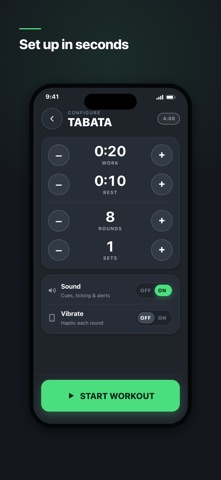
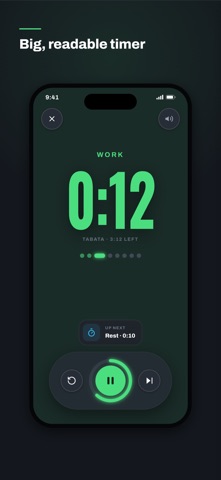


The set is calm and easy to read: one short caption per frame in white on near black, under a short green accent bar, over a phone showing exactly the screen the caption names. "Big, readable timer" over a large green 0:12 is the strongest of the five, and the number stays legible even at thumbnail size.
The developer asked whether the first two frames make it clear that this is a workout timer and not a tracker. Frame one does not quite. "6 interval modes in one" sits over the mode menu, a list of Tabata, EMOM, AMRAP, For Time, Intervals and Stopwatch rows, and a list is the least visual screen in the app. Frame two, "Set up in seconds", shows the Tabata setup with work, rest and rounds, and that one does read as a timer.
The second question was whether "no ads" comes through. It does not: none of the five captions mentions ads. The closest is the last frame, "Unlock by training, no paywall", and it sits where the fewest shoppers get to. On localization, we compared the first screenshot across the US, DE, JP, ES, FR, IT, PT, TR and SA storefronts. It is the same English file in all nine; the listing declares English and Russian, so English is the expected default in those nine.
The one fix that matters: lead with the timer. Move "Big, readable timer" into the first slot, or put the running 0:12 screen under the first caption and add the word timer to it. If no ads is a selling point, say it in the first two captions, not the last one.