Apple Product Page Optimization (PPO) Guide for 2026
Apple Product Page Optimization is the single most underused growth lever on the App Store in 2026. It is free, it is native, and it uses real organic App Store traffic to tell you which creative actually converts. Yet most indie developers and even many mid-sized studios still rely on gut feeling for their icon and screenshots. This guide walks you through what Apple Product Page Optimization is, how it differs from Custom Product Pages, how to set up your first test in App Store Connect, how to read the results without fooling yourself, and the advanced tactics that ASO teams are using this year.
If you only have ten minutes, here is the short version: pick one variable (icon, screenshots, or app preview), test it against your default page in your top market, give it at least 30 days, and let Apple call the winner. Everything else in this guide is a refinement of that loop.
What is Apple Product Page Optimization?
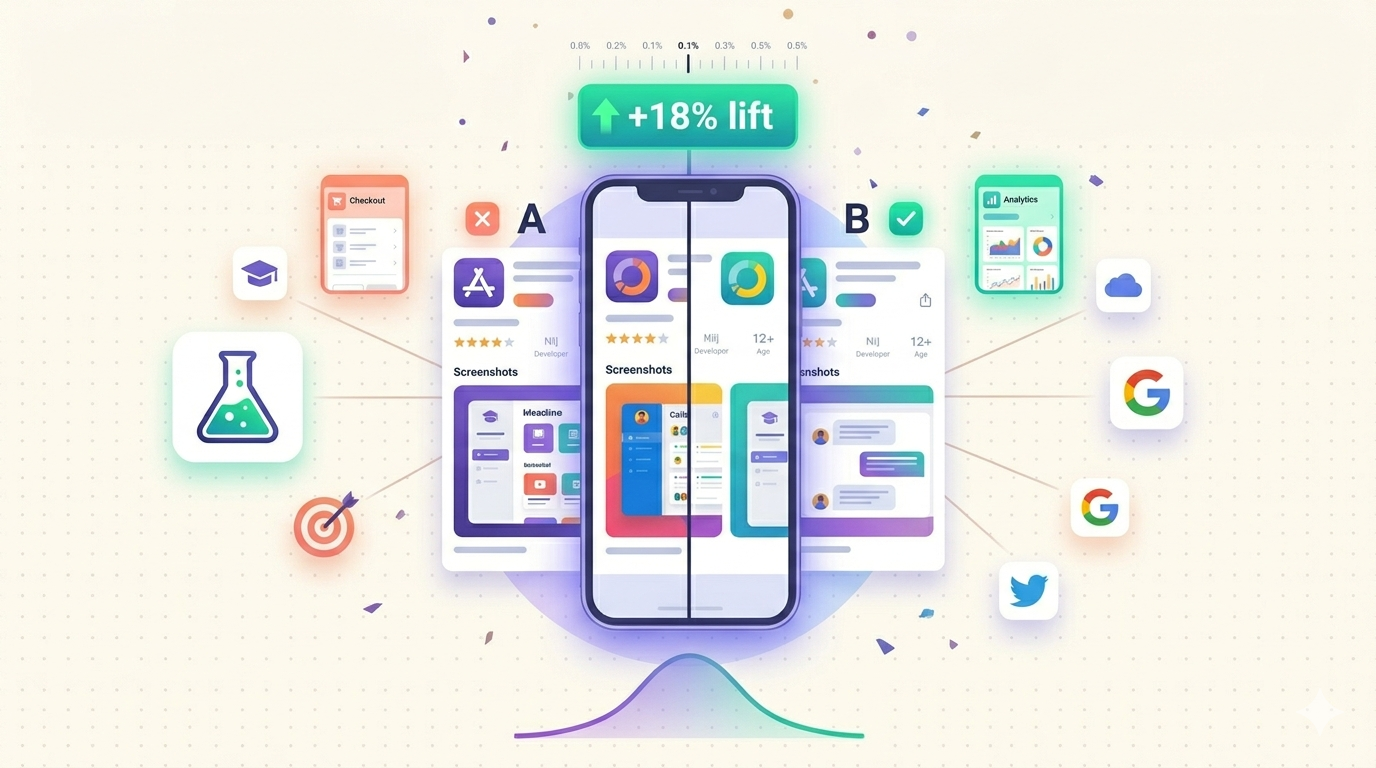
Apple Product Page Optimization (often shortened to PPO) is Apple's native A/B testing feature inside App Store Connect. It launched with iOS 15 in December 2021 and has matured significantly by 2026. PPO lets you run up to three alternate "treatments" against your current default product page, with Apple randomly splitting organic App Store traffic across each variant and declaring a statistically significant winner.
The mechanics are simple. You create a test, choose which asset you want to experiment with, upload up to three new versions, and Apple handles the traffic split. Each treatment must go through App Review just like a regular submission, so plan for a 24 to 48 hour delay before your test goes live. Once live, the test runs for up to 90 days, although most healthy tests reach significance in 14 to 30 days.
PPO is fundamentally a conversion rate tool. It does not change your search ranking or your keyword indexing. It tells you, with real money on the line, which creative makes more visitors tap "Get." That is why PPO sits at the top of every serious App Store Optimization roadmap in 2026.
PPO vs CPP: Which One Do You Need?
One of the most common questions we get from new ASO managers is whether to invest in Apple Product Page Optimization or in Custom Product Pages (CPP). The honest answer is that they solve different problems and the best teams use both. Here is a side-by-side comparison.
| Feature | Product Page Optimization (PPO) | Custom Product Pages (CPP) |
|---|---|---|
| Primary purpose | A/B test your default page | Create targeted pages for paid campaigns or audiences |
| Traffic source | Organic App Store traffic (random split) | Driven by unique CPP URL you share |
| Number of variants | Up to 3 treatments plus control | Up to 35 custom pages per app |
| What you can change | Icon, screenshots, app preview | Screenshots, app preview, promotional text |
| Winner declared by Apple? | Yes, with statistical confidence | No, you measure conversion via analytics |
| Per-locale? | Yes, one test per locale | Yes, you can localize each CPP |
| Best for | Improving baseline organic conversion | Matching paid ad creative to landing page |
If you are running paid user acquisition or running influencer campaigns, you absolutely need CPPs. Read our complete guide to Apple Custom Product Pages and our CPP localization playbook for those use cases. If you want to systematically improve the page that ranks for your branded and category keywords, PPO is the right tool. Most teams should be running both in parallel.
What You Can and Cannot Test with Apple Product Page Optimization
Apple is deliberately restrictive about what PPO can touch. The framework is designed for visual creative testing only, not for repositioning your app. Here is the exact scope in 2026.
| Asset | Testable with PPO? | Notes |
|---|---|---|
| App icon | Yes | Requires icon to be present in app binary via alternate icons |
| Screenshots | Yes | All sizes for the locale must be provided |
| App preview video | Yes | Up to 3 previews per treatment |
| App name | No | Use a CPP or a regular metadata update |
| Subtitle | No | Cannot be A/B tested natively |
| Description | No | Tested manually via release versioning |
| Keywords | No | Keywords are not user-facing creative |
| Price or IAP | No | Use server-side pricing experiments instead |
The key implication is that Apple Product Page Optimization is a creative tool, not a positioning tool. If you want to test a new value proposition, you have to encode it visually into your screenshots or icon. This is exactly why localized screenshot quality matters so much. Our screenshot localization workflow gives you a head start by producing per-market screenshot sets you can drop straight into a PPO treatment.
How to Set Up a PPO Test in App Store Connect
Setting up your first Apple Product Page Optimization test takes about 20 minutes once your creative is ready. Here is the exact flow.
Step 1: Navigate to the right section
Open App Store Connect, select your app, click the App Store tab, then choose Product Page Optimization in the left sidebar. You will see a list of past and active tests.
Step 2: Create the test
Click Create Test and give it a descriptive name. We recommend a naming convention like 2026Q2-US-Screenshots-FitnessHero so your future self can find it. The name is internal only, so be verbose.
Step 3: Choose the locale
This is the most important early choice. PPO runs per-locale, which means a test in en-US does not affect what users in de-DE see. Start with your single highest-revenue market. Do not try to test five locales at once on your first attempt because you will dilute your sample size.
Step 4: Pick exactly one variable
Choose icon, screenshots, or app preview video. Do not pick more than one. If you change the icon and the screenshots at the same time, you cannot attribute the lift. This is the single most common mistake new teams make.
Step 5: Upload your treatments
Add up to three treatments. Each one must be a complete asset set for the locale. For screenshots, that means all required device sizes. Apple's official Product Page Optimization documentation lists current size requirements.
Step 6: Configure traffic allocation
The default is an equal split between control and each treatment. If you have four-way test (control plus three treatments), each gets 25 percent of organic traffic. You can lower the treatment allocation if you are worried about exposing too many users to an unproven variant, but the lower the allocation, the longer the test runs.
Step 7: Submit for review
Each treatment goes through App Review independently. This usually takes 24 to 48 hours in 2026. Treatments are reviewed for guideline compliance, not for quality, so make sure your screenshots follow Apple's marketing guidelines around device frames and status bars.
Step 8: Let the test run
Resist the urge to peek every hour. Give the test at least 14 days. Most teams stop at 30 days, which is the sweet spot for statistical significance on apps with moderate traffic. If your app is small, you may need the full 90 days that Apple allows.
Reading PPO Results: Statistical Significance and Lift
When you open the results dashboard, Apple shows you two numbers per treatment: the conversion rate and the improvement versus the control, along with a confidence indicator. The confidence indicator is what tells you whether the difference is real or just noise.
A reliable Apple Product Page Optimization result needs three things. First, enough visitors per treatment, ideally 2000 minimum, although 1000 can work for high baseline conversion apps. Second, a confidence level of 90 percent or higher, because anything lower is just a coin flip dressed up in statistics. Third, a meaningful effect size, which we define as at least a 3 percent relative lift. Anything below 3 percent is usually not worth the operational overhead of a rollout.
One nuance that catches teams off guard is that PPO measures impression-to-install conversion on the App Store itself, not retention. A treatment that wins on PPO might attract worse-fit users who churn faster. Always cross-reference your PPO winner with Day 7 retention before you commit. We cover this validation step in detail in our screenshot A/B testing deep dive.
Common Apple Product Page Optimization Mistakes
After running hundreds of PPO tests with customers, we see the same mistakes again and again. Avoiding these will put you ahead of 80 percent of competitors.
- Running too many tests in parallel across locales. If you have four active tests, your operational attention is split four ways and your interpretation of each result gets fuzzier. Start with one test in one locale, ship the winner, then move on.
- Stopping tests too early. A treatment that looks 15 percent better at day 3 frequently regresses to the mean by day 14. Wait for confidence, not for a feeling.
- Testing icon and screenshots simultaneously. If both change, you cannot tell which moved the needle. Apple does not let you bundle them into a single test anyway, but some teams run two overlapping tests and confuse themselves.
- Not localizing the test treatments. A treatment built for US users may underperform in Japan because of cultural and density differences. Always localize before launching a non-English PPO test.
- Ignoring qualitative feedback. Conversion is one signal. App Store ratings, support tickets, and TestFlight comments all carry information about whether your new creative is honest about what the app does. A misleading treatment can win on conversion and lose on retention.
- Forgetting App Review timelines. If your treatment gets rejected because the screenshots show fake content or a device with a status bar, you lose a week. Pre-check your assets against Apple's guidelines before you submit.
Advanced PPO Tactics for 2026
Once you have run a few baseline tests, here are the advanced moves we see top teams using this year.
Sequential testing with a creative ladder
Instead of testing three random variants, build a "ladder" of hypotheses. Test 1 establishes the best hero screenshot layout. Test 2 swaps the headline copy on the winner. Test 3 changes the background color on the new winner. Each test compounds on the previous one, and over six months you can lift baseline conversion by 30 percent or more.
Localized PPO as part of a market-entry plan
When you launch in a new country, run a PPO test in that locale within the first 60 days. Even with low traffic, the directional signal helps you adapt creative quickly. Pair this with our CPP localization guide for paid campaigns in the same market.
Seasonal treatments
Test a seasonal screenshot set (holiday, back-to-school, summer fitness) against your evergreen control. Even if seasonal does not win year-round, you may find a 4-week window where it dominates, which is worth scheduling into your release calendar.
Icon micro-tests
Icons are sticky on home screens, so big icon changes are risky. Use PPO to test subtle variations: a slightly bolder mark, a different background color, a new accent. Subtle wins still translate to thousands of incremental installs at scale.
Pairing PPO with your screenshot tooling
The faster you can produce variants, the more tests you can run. Manual screenshot production caps most teams at one or two PPO cycles per quarter. Using a dedicated screenshot generator from our ASO tools hub brings that down to a one-day turnaround for a full variant set, including device frames and localized text.
For deeper technical reading, Apple's own App Store Connect documentation covers the API endpoints and reporting fields you can use to pull PPO data into your own dashboards, and the App Store screenshot specifications page lists the current size and format requirements for treatments.
FAQ
How long should an Apple Product Page Optimization test run?
The minimum useful duration is 14 days, but 30 days is the realistic sweet spot for most apps. Apple allows tests to run up to 90 days, which is occasionally necessary for low-traffic apps that need more impressions to reach statistical significance. Stopping a test before day 14 almost always produces a result you should not trust.
Can I run PPO and Custom Product Pages at the same time?
Yes, and you should. PPO optimizes your default page for organic traffic, while CPPs serve targeted variants to paid campaigns, influencer audiences, or specific feature launches. They are complementary, not competitive. Just keep the test scope clear in your head so you do not confuse organic lift with paid lift.
Does Apple Product Page Optimization affect my keyword rankings?
No. PPO only affects conversion on the product page itself. Your search ranking is driven by keywords, downloads, retention, and ratings, none of which are part of a PPO test. A winning PPO treatment can indirectly improve rankings over time because higher conversion sends positive signals to Apple's ranking algorithm, but there is no direct keyword effect.
Start Testing Today
Apple Product Page Optimization is the closest thing to a free conversion optimization team that the App Store gives you. The only real cost is the creative production. If you have been holding back because building three new screenshot sets feels like too much work, that is the problem to solve first. Sign up for a free Shotlingo account to generate localized screenshot variants in minutes, ship them as PPO treatments this week, and let Apple tell you which one wins.