
App Store Screenshot Text Indexing: Why Screenshot Captions Are an ASO Ranking Factor in 2026
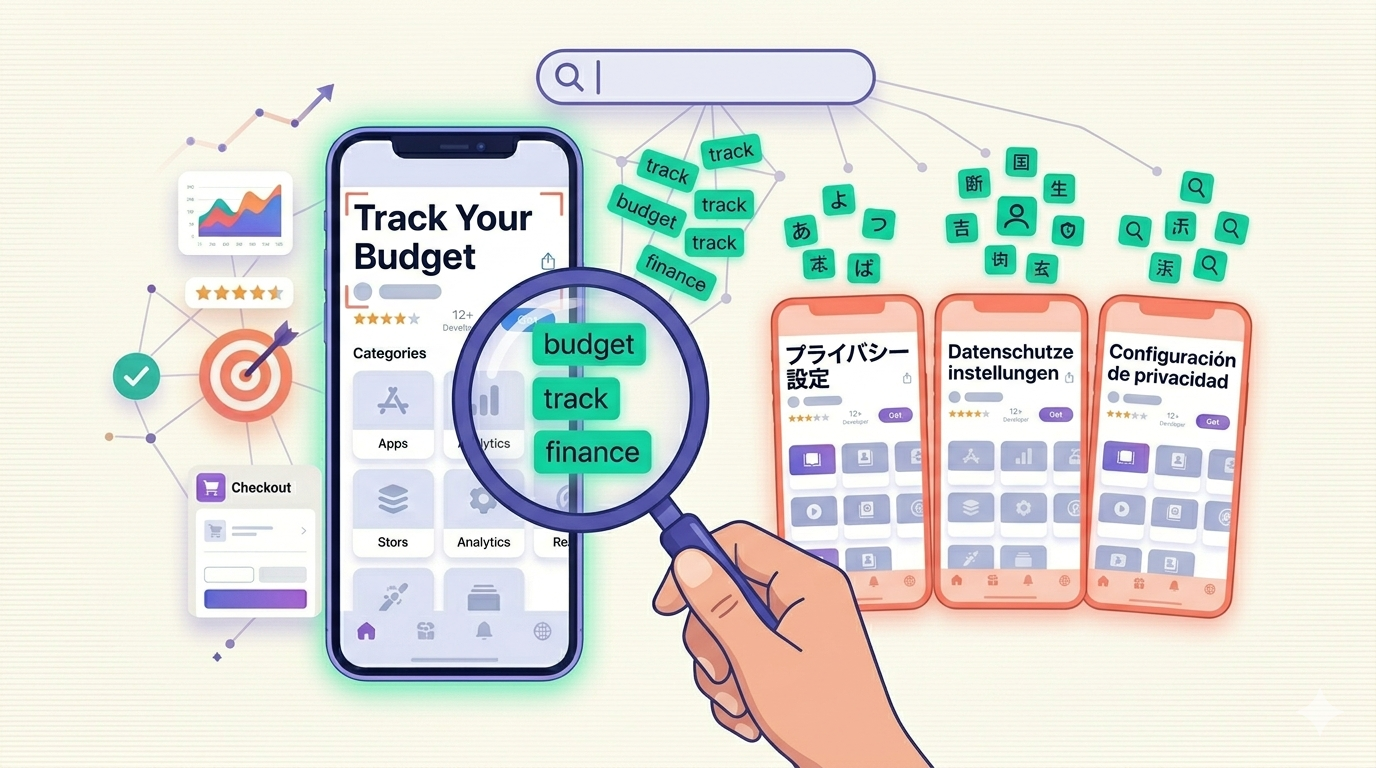
For years, App Store screenshots were treated as a pure conversion lever. You wrote a punchy caption, picked a clean device frame, and measured the lift in install rate. Discoverability lived elsewhere, in your title, subtitle, and keyword field. That mental model may be out of date. The emerging conversation around app store screenshot text indexing suggests the words baked into your screenshot images are no longer invisible to Apple's systems, and that has real consequences for how you write captions in 2026.
This post is deliberately honest about what is confirmed and what is not. Apple has not published a statement saying screenshot text feeds App Store ranking. What we do have is a mature optical character recognition stack, a growing body of practitioner reports, and a practical takeaway that holds up either way. Let's separate the signal from the speculation.
TL;DR
Apple's on-device text recognition (Live Text and the VisionKit framework) is mature and already reads text inside images across iOS. ASO practitioners report that text embedded in App Store screenshots appears to influence discoverability, which would make app store screenshot text indexing an emerging ranking signal rather than a confirmed one. Either way, writing clear, keyword-aware screenshot captions, especially localized per market, is low-risk and high-upside, so optimize them now.
What Changed: App Store Screenshot Text Indexing
The technical foundation here is not new or speculative. Apple ships a system-wide text recognition capability called Live Text, powered by the VisionKit framework, that extracts readable text from any image. Point your camera at a sign, screenshot a receipt, or long-press a photo, and iOS pulls out the words instantly. This is production technology used by millions of devices every day.
If a phone in your pocket can read the text inside a photo, it is reasonable to ask whether Apple's App Store backend can read the text inside the screenshots developers upload. The capability clearly exists. The question that ASO practitioners are now debating is whether that text is actively wired into search and discovery, or whether it remains an accessibility and convenience feature that has not yet been connected to ranking.
That distinction matters, and we will not pretend it is settled. What has changed is not a confirmed Apple announcement. What has changed is that enough independent observers have noticed correlations between screenshot wording and search visibility that the topic has moved from "impossible" to "plausible and worth testing." For a primer on how the broader system works, see our guide to what ASO is in 2026.
The Evidence: OCR Maturity Meets Community Reports
Let's be precise about the two kinds of evidence, because they carry very different weight.
The first kind is technical and solid. Apple's VisionKit documentation describes a robust API for extracting text from images, and Apple's Live Text support pages confirm the feature is shipping across the OS. Apple has invested heavily in this for accessibility reasons, so that VoiceOver and other assistive features can describe image content to users. The OCR is real, accurate, and battle-tested. None of that is in dispute.
The second kind is observational and softer. ASO practitioners report that apps with descriptive, keyword-rich screenshot captions sometimes surface for queries that do not appear in their title, subtitle, or keyword field. Evidence suggests a possible relationship, but these are correlations gathered from individual accounts, not a controlled study with a published methodology. We have not seen a rigorous experiment that isolates screenshot text as the sole variable, and we are not going to invent one to make the point land harder.
So the honest summary is this: the machinery to index screenshot text exists and is excellent, and the field reports are suggestive but not conclusive. That is exactly the situation where the smart move is to optimize defensively. If app store screenshot text indexing is real, you benefit. If it is not yet, you have lost nothing, because clear captions improve conversion regardless. To go deeper on the keyword side of the equation, our guide to ASO keyword optimization covers the fundamentals.
Why App Store Screenshot Text Indexing Matters More for Localized Apps
Here is the insight that turns an interesting debate into a strategic decision. If screenshot text is indexed, then the language of that text determines which queries it can match. English captions can only match English-language searches. Localized captions can match searches in each target locale.
That reframes localization entirely. For most teams, translated screenshots have been a conversion play: a German user converts better when the caption is in German, a Japanese user trusts the listing more when the typography is native. Those benefits are well documented. But if screenshot text is indexed, localized screenshots become a keyword discoverability play on top of the conversion play.
In plain terms, your German screenshot caption is not just persuading German users who already found you. It may be helping German users find you in the first place, by matching German search queries that your English text could never reach. Every locale you localize becomes a fresh keyword surface. This is precisely the multiplier that makes localized screenshots more than a polish step, and it is the core of what tools like Shotlingo's localization workflow are built to deliver.
How to Write Screenshot Captions for Discoverability
Whether or not indexing is fully active, the same caption-writing discipline pays off. The goal is captions that read naturally to humans and happen to contain the words people actually search for.
- Lead with the benefit, include the keyword. Instead of a vague phrase like "Stay organized," write "Track expenses and split bills" so the searchable concepts are present in human language.
- Use the words your users type. If people search "meal planner," do not caption it "nutrition orchestration." Match the vocabulary of the query, not your internal product naming.
- Keep captions short and legible. A caption that a person can read at a glance is also a caption that OCR can parse cleanly. Dense, low-contrast, or heavily stylized text fails both audiences.
- Vary the wording across the screenshot set. Five screenshots are five chances to surface different keyword concepts. Repeating the same phrase five times wastes four of them.
- Front-load the first two screenshots. These get the most attention and, if indexing weights position, may carry the most signal. Put your strongest keyword-bearing captions there.
For inspiration on captions that balance persuasion and clarity, study our roundup of app store screenshot examples that convert. The best performers already follow these rules, mostly because clear writing converts, and that clarity happens to be OCR-friendly too.
The Localization Multiplier
To make the keyword-reach argument concrete, consider a hypothetical app shipped to four major markets. The table below compares an English-only screenshot strategy against a fully localized one, focusing on the keyword surface that screenshot text could expose in each locale.
| Market | Search language | English-only screenshot text | Localized screenshot text |
|---|---|---|---|
| United States | English | Matches English queries | Matches English queries |
| Germany | German | No match (text is in English) | Matches German queries |
| Japan | Japanese | No match (text is in English) | Matches Japanese queries |
| Brazil | Portuguese | No match (text is in English) | Matches Portuguese queries |
| Keyword surfaces exposed | 4 locales | 1 of 4 | 4 of 4 |
The pattern is stark. English-only screenshots expose your screenshot keywords to one of four markets, even if your app is technically available in all four. Localized screenshots, assuming the indexing behaves the way the OCR capability implies, expose tuned keywords to every market you ship to. That is a four-fold expansion of your potential screenshot keyword reach, achieved by translating text you already have to write anyway.
One practical caution before you translate: text length changes across languages. German strings often run 30 to 40 percent longer than English, which can break a layout that was tight to begin with. Run your captions through our text expansion calculator before committing to a design, so your localized captions stay legible to both readers and any OCR pass.
What NOT to Do
The instant a channel is suspected of carrying ranking weight, someone tries to stuff it. Do not be that someone. If indexing is real, keyword stuffing your captions is the fastest way to waste the opportunity and risk a rejection.
- Do not list keywords as captions. A screenshot that says "expense tracker budget app money saver finance manager" reads as spam to humans and adds nothing useful for OCR. Apple's review team also scrutinizes screenshots for misleading or low-quality content.
- Do not sacrifice legibility for keyword density. Cramming more words means smaller text, lower contrast, and worse conversion. You would be trading a confirmed benefit (conversion) for a speculative one (indexing). That math never works.
- Do not repeat the same keyword on every screenshot. Repetition does not compound the way stuffers imagine. It just burns screenshot slots that could expose different concepts.
- Do not use text that contradicts your app. Captions describing features you do not have are a review-rejection risk and an uninstall driver, indexed or not.
The guiding principle is simple. Write captions a human loves first. Let any indexing benefit be a bonus that rides on top of genuinely good copy, never the justification for bad copy. For the formal definition of the discipline this all sits inside, see our ASO glossary entry.
FAQ
Has Apple confirmed that it indexes screenshot text for ranking?
No. Apple has confirmed that its Live Text and VisionKit technology reads text inside images, primarily for accessibility and convenience. Apple has not published a statement saying screenshot text feeds App Store search ranking. The connection between the two is an emerging hypothesis supported by practitioner observation, not an official Apple announcement, so treat it as a promising signal to act on rather than a settled fact.
Should I change my screenshots based on something that is not confirmed?
Yes, because the recommended changes (clear, keyword-aware, localized captions) improve conversion whether or not indexing is active. You are not making a risky bet. You are doing what already works for conversion and positioning yourself to benefit if screenshot text indexing turns out to be a real ranking factor. The downside is essentially zero.
Does localizing screenshots really expand keyword reach?
If screenshot text is indexed, then yes, by definition. English text can only match English queries, so each language you localize into opens a separate keyword surface tied to that locale's search behavior. Even setting indexing aside, localized screenshots convert better with local users, so the localization investment pays off through at least one and possibly two distinct mechanisms.
Turn Screenshot Captions Into a Per-Locale Keyword Engine
The honest position on app store screenshot text indexing is that the OCR is real and excellent, the ranking effect is plausible but unconfirmed, and the optimization work is worth doing either way. The teams that win are not the ones waiting for an official announcement. They are the ones writing clear captions and localizing them across every market they serve.
Shotlingo localizes your App Store screenshot text into dozens of languages while preserving layout, fonts, and design, so each market gets native captions that read well to users and parse cleanly for any text recognition pass. Create a free account and localize your first screenshot in minutes. Turn a single set of captions into a keyword surface for every locale you ship to.