
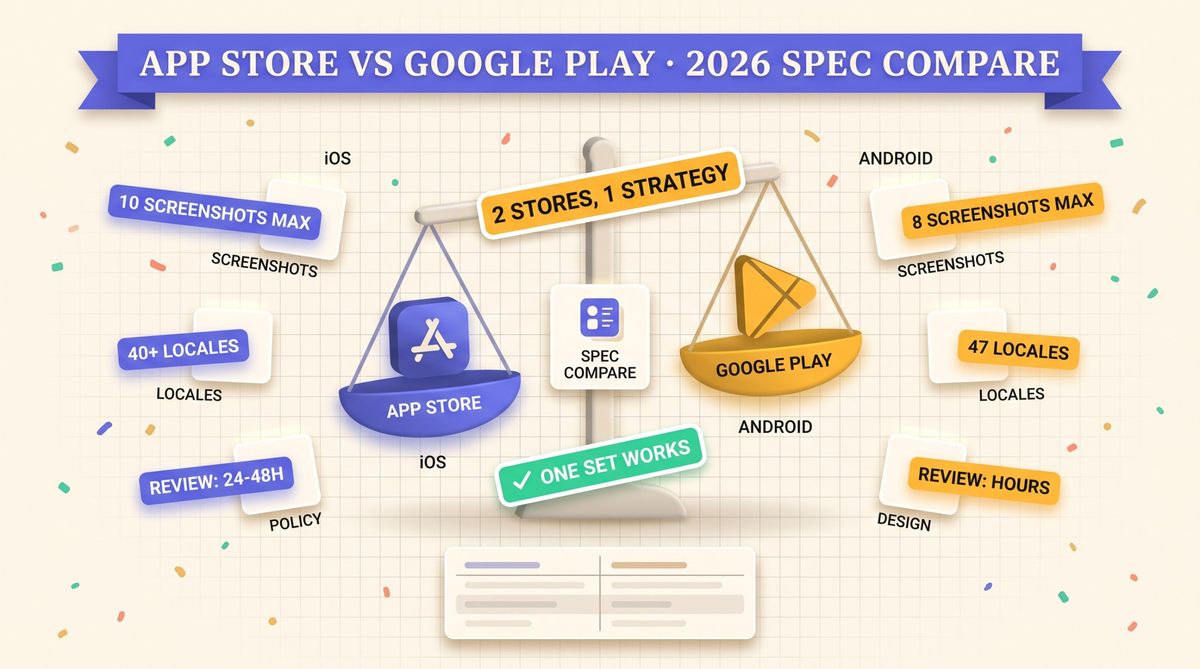
Google Play takes 2 to 8 screenshots per device type, and the App Store takes up to 10 per device size. Sizes and formats differ too, so one export rarely passes both. This guide compares the limits side by side, then covers policy, testing, localization and how to run one design for two stores.
How many screenshots does each store allow?
The App Store allows up to 10 screenshots per device size and localization, and Google Play allows 2 to 8 per device type. Apple needs at least 1 per required size. Plan for 8 and both stores are covered.
| Spec | App Store | Google Play |
|---|---|---|
| Screenshots | 1 to 10 | 2 to 8 |
| Formats | PNG or JPEG | PNG or JPEG |
| Max file size | No fixed cap | 8 MB each |
| Side length | Fixed per device | 320 to 3840 px |
| Video | Up to 3 previews | 1 YouTube link |
Exact pixel sizes change with each new iPhone. The live numbers are in our screenshot size reference and the complete screenshot sizes guide.
What size should Google Play screenshots be?
Each side must be between 320 and 3840 pixels, and the longer side can be at most twice the shorter one. A 1080 x 1920 portrait image passes. Google asks for PNG or JPEG without transparency.
Apple is stricter. It only accepts specific pixel dimensions per device class, and an off-size image is rejected on upload. Build your master canvas to Apple's largest iPhone size, then derive the Google Play version from it. The reasoning is in our canvas reuse post.
Where else do the two stores differ?
Beyond raw specs, three things change how you design.
Required assets
Google Play also needs a 1024 x 500 feature graphic and a 512 x 512 icon, and the feature graphic appears at the top of the listing. Apple has no equivalent banner, so the first screenshots carry that job.
Video
Apple app previews are uploaded files, up to 30 seconds each. Google Play takes a YouTube URL and plays it in the listing. See preview video vs screenshots for when video is worth the effort.
Content rules
Both stores want screenshots that show the real app. Apple reviews them during app review and can reject a build. Google can suspend a listing for misleading imagery or unverifiable claims. Keep other platforms' device frames out of the opposite store.
How does A/B testing compare?
| Feature | App Store | Google Play |
|---|---|---|
| Native test tool | Product Page Optimization | Store Listing Experiments |
| Variants | Up to 3 treatments | Up to 3 variants |
| Tests icon | Yes | Yes |
| Targeted pages | Custom Product Pages | Custom store listings |
Both run on live traffic and report a confidence range. Our screenshot A/B testing guide covers how to set up a clean test, and the PPO guide goes deeper on Apple's side.
How do localization options compare?
Apple lists about 40 App Store localizations, and Google Play supports 75+ languages with its own locale codes. Several Apple locales cover more than one country, and some Play locales are region specific. The code mapping is in our locale codes post.
Translated text changes layout. German often runs 30 percent or more longer than English, so captions need room on both stores. The numbers per language are in the text expansion data.
Should you design one set or two?
- Design the master at Apple's largest iPhone size.
- Export a 9:16 version for Google Play, keeping captions inside a safe margin.
- Swap device frames per platform, or use frameless layouts to skip the question.
- Check the first two screenshots on both stores, since they show in search results.
- Localize every set, then re-check caption fit per language.
A shared design with platform-specific exports is the sweet spot for small teams. Shotlingo localizes one screenshot set into 40 languages and exports it for both stores. If you are still finding users, the free promotion guide and the Apps of the Week hub are good next stops.
FAQ
How many screenshots can I upload to Google Play?
Between 2 and 8 per device type. Phone screenshots are required, and tablet and Wear OS sets are optional.
Can I reuse my App Store screenshots on Google Play?
Often yes after a resize. Remove iPhone frames if you want a native look, and check that no text sits near the edges after cropping to 9:16.
What is the Google Play screenshot size?
Each side between 320 and 3840 pixels, with the longer side at most twice the shorter one. A 1080 x 1920 PNG or JPEG, up to 8 MB, is a safe default for phones.
Do both stores index screenshot text?
Apple has started reading text in screenshots for search ranking, see our indexing post. Treat Google Play the same way and keep captions short and literal.